03 / THE DASHBOARD
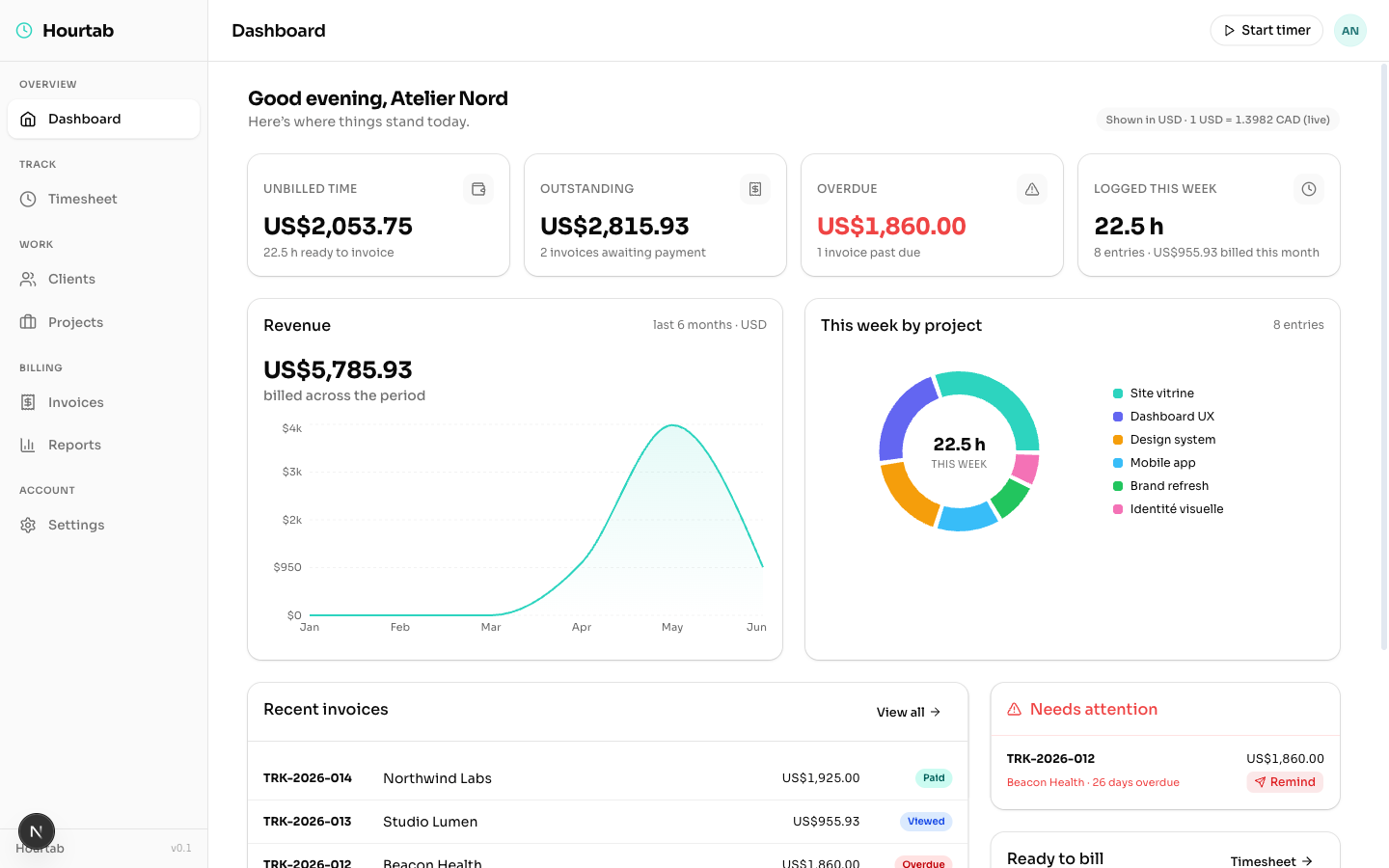
Your whole practice, the moment you open it.
Unbilled, outstanding, overdue and this week's hours — up top. A six-month revenue trend and where your time actually went — below. Built to be glanced at, not studied.
Time tracking, made effortless. Drag a block onto your calendar — or just tell the AI what you did and it fills your timesheet. One click turns those hours into a polished, ready-to-send invoice.
No timers to forget. No spreadsheets to reconcile. Your week is the timesheet.
Select 9:00, drag to 13:00, release — or hit Start and let the live timer run. Pick the client and project, add a note, done. 15-minute snapping, color-coded, with a live weekly total.
One click gathers every unbilled hour for a client into a draft — grouped by project, rates applied, taxes calculated, in English or French. Preview before you commit.
Send a beautiful email with a tracked link. Know when it's opened, viewed again, downloaded — and chase with confidence. Mark paid, and the books close themselves.
Hourtab does one workflow — hours to money — and does every detail of it properly.
Each project carries its rate, currency and color. Unbilled totals update live as you drag — you always know what a week is worth.
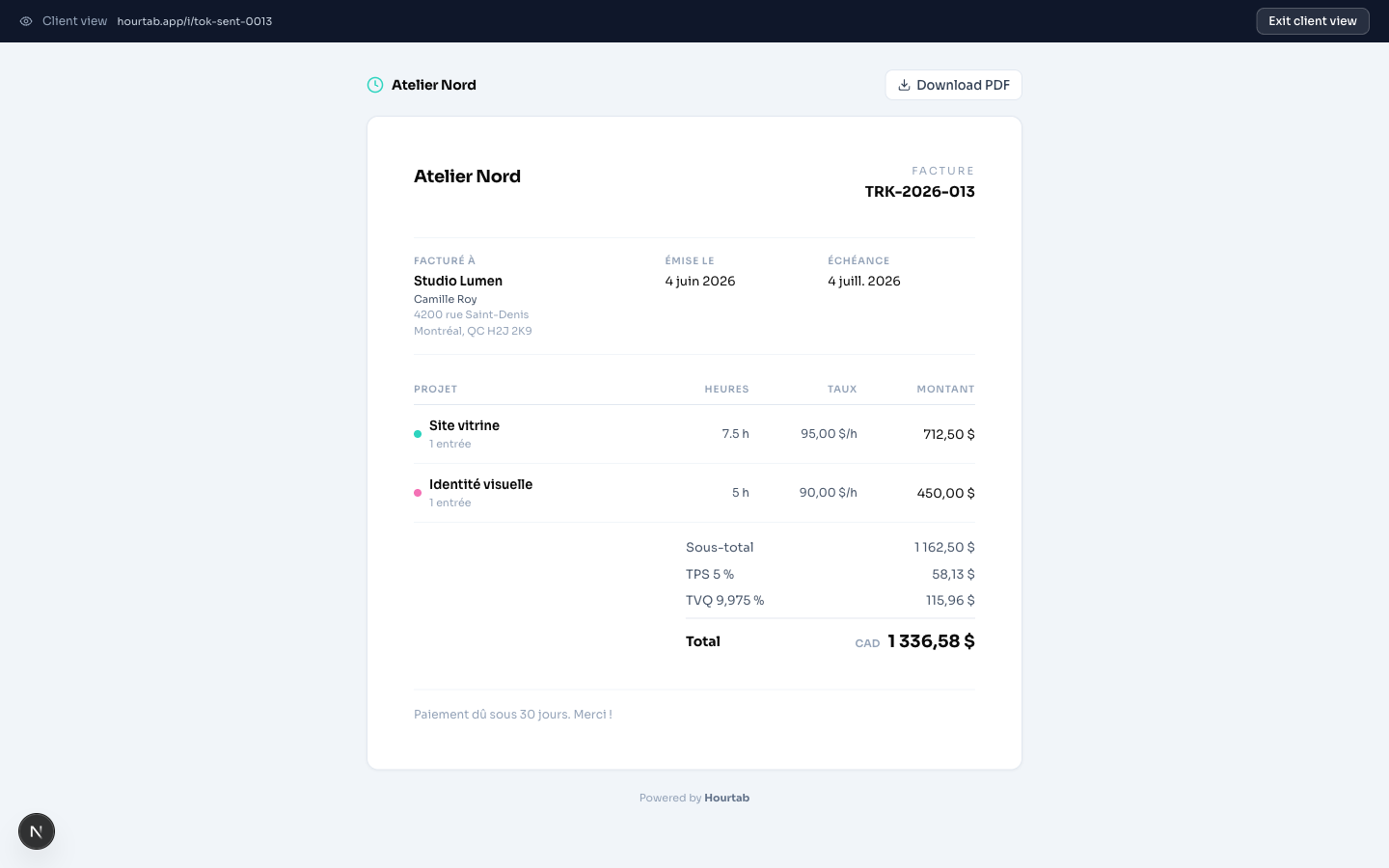
Invoices render in English or French per client — labels, dates, currency formatting, payment notes. Montréal-grade. Vos clients vont adorer.
Set the tax profile once per client. Every invoice after that is compliant arithmetic you never think about again.
Clients get a live invoice page. You get an activity trail of every view and download.
Net 15 / 30 / 45 / 60 per client. Due dates set themselves, and the period covered is calculated from the actual entries.
Don't want to drag? Hit Start and let it run. Watch the hours — and the money at your project's rate — tick up live, then drop straight onto your week.
Sent invoices past due flip to an Overdue badge, and a single click drafts a polite bilingual nudge — pre-filled with the days late and a tracked link.
Time log, revenue & collections, client statements, and a quarterly GST/QST/HST remittance summary — each one export-ready as CSV or PDF.
Unbilled, outstanding, overdue and this week's hours — up top. A six-month revenue trend and where your time actually went — below. Built to be glanced at, not studied.
Here's one real screen — no polish added. The rest of the app is yours to discover the moment you're inside.
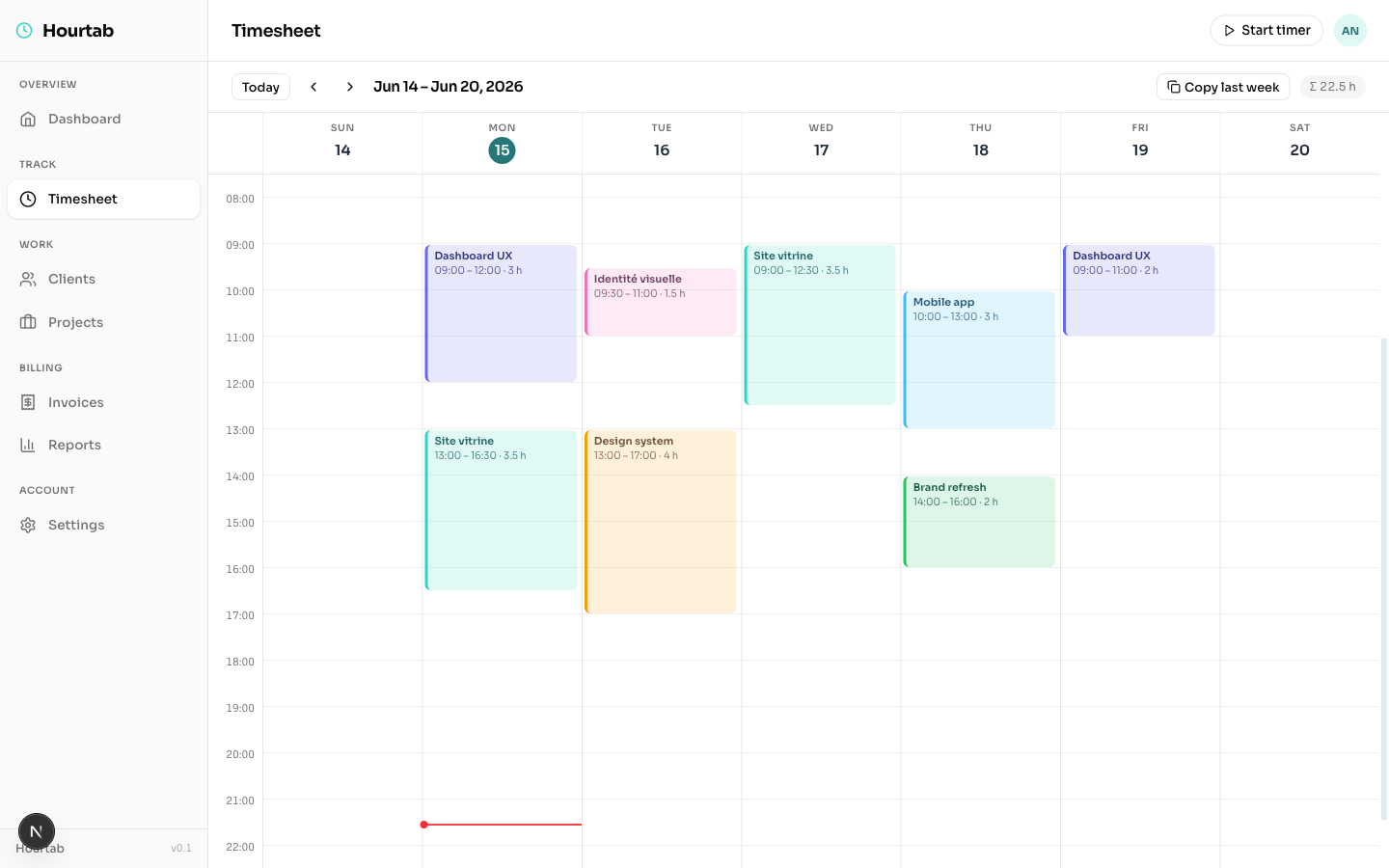
Drag a block from 9 to 1, pick the client and project, done. Colour-coded by project, 15-minute snapping, a running weekly total, and one-click “copy last week” for recurring work.
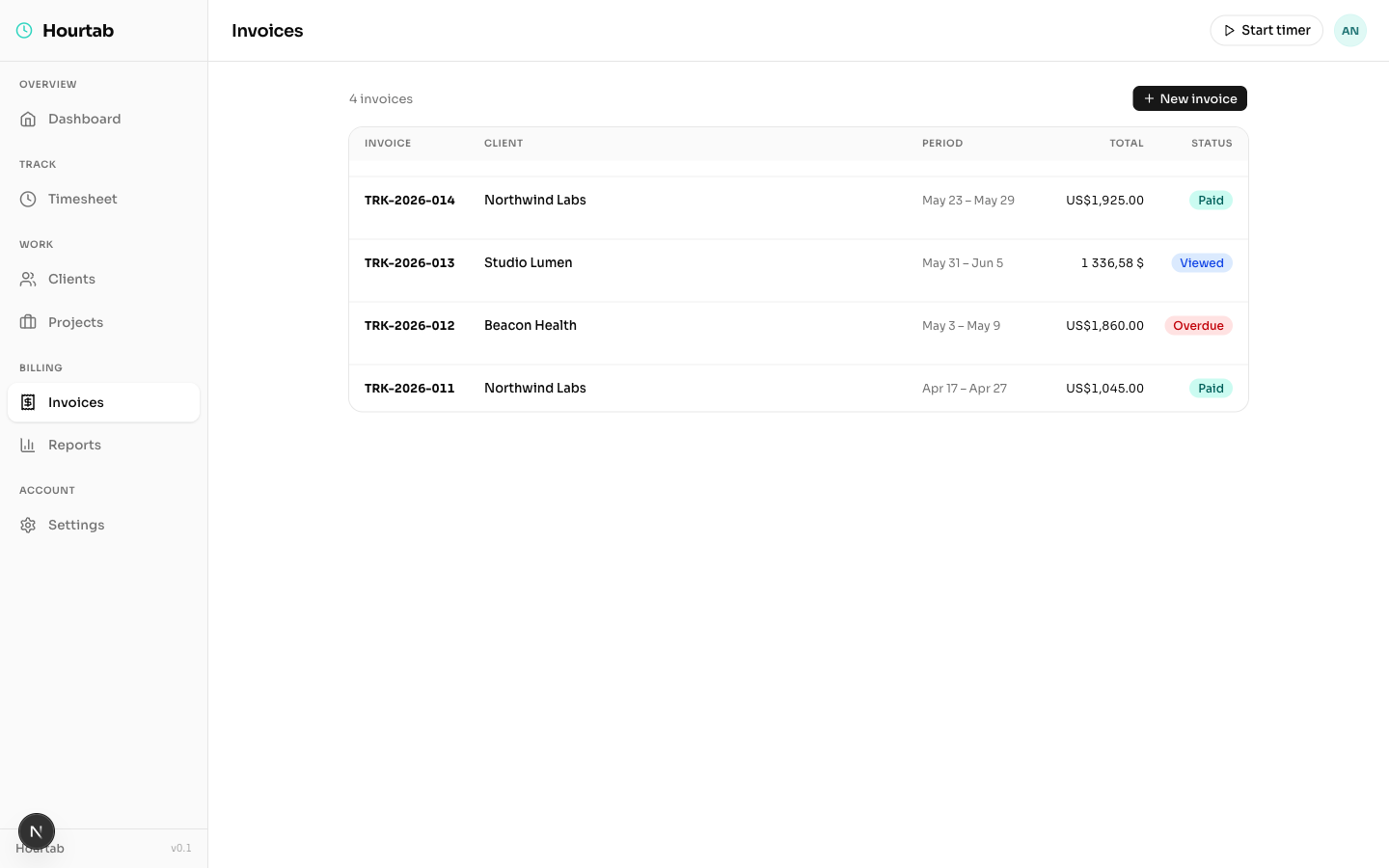
Draft, Sent, Viewed, Paid and Overdue across currencies — generate a new one from unbilled time in a click.
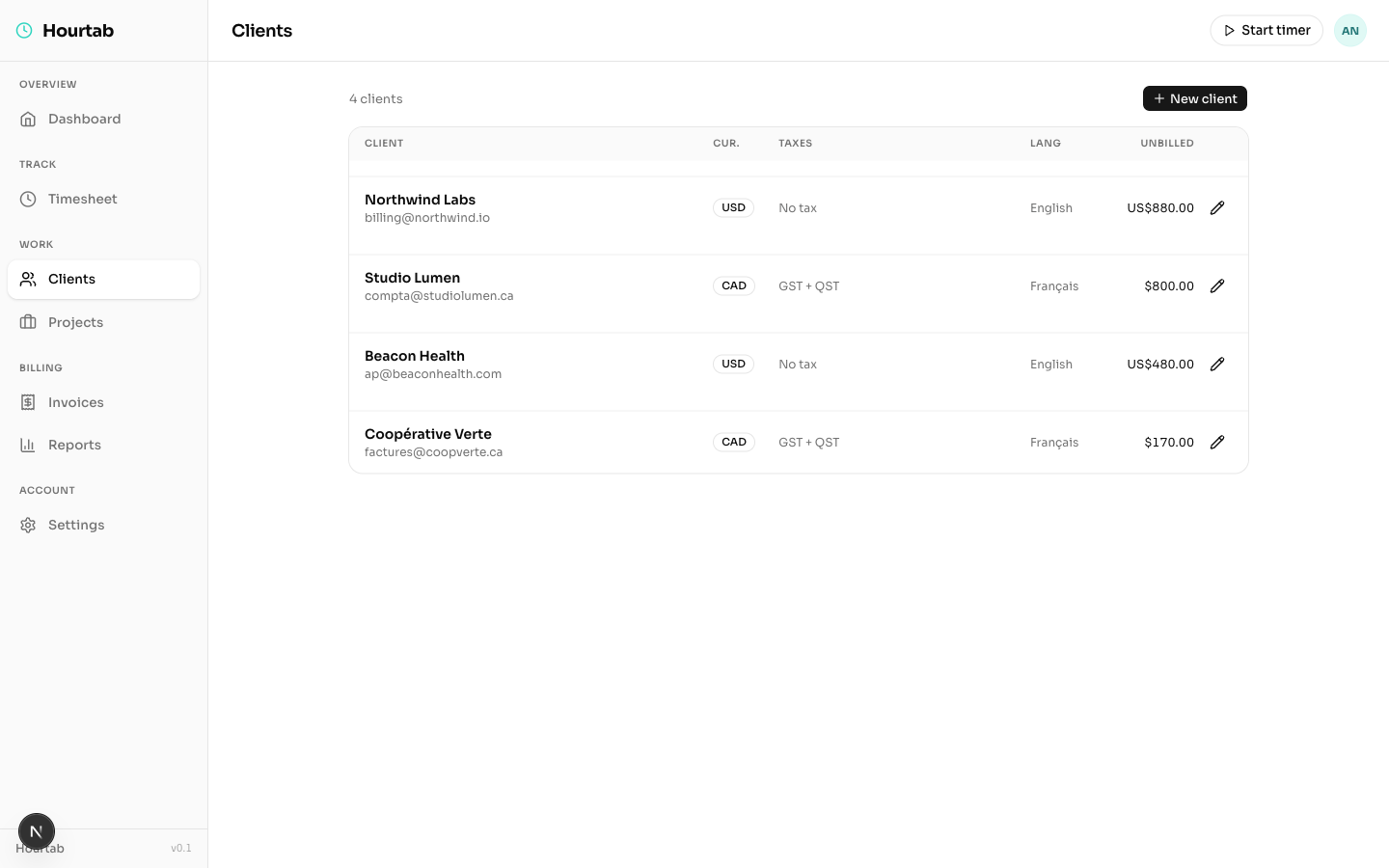
Set CAD/USD, the tax profile (GST + QST, GST, HST or none) and invoice language once — every invoice inherits it.
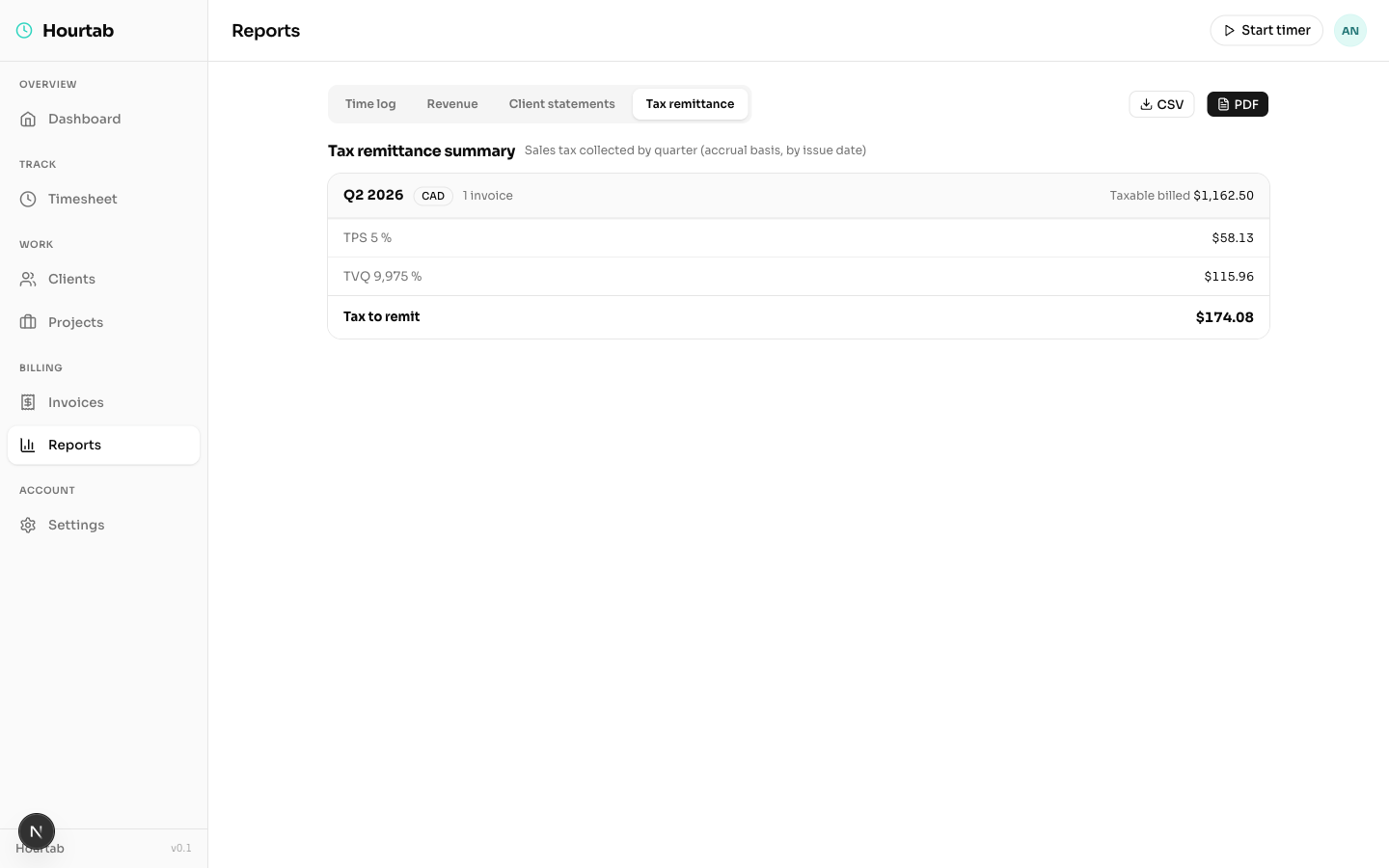
Time log, revenue, client statements and a quarterly GST/QST/HST remittance — the exact number you owe, CSV or PDF.
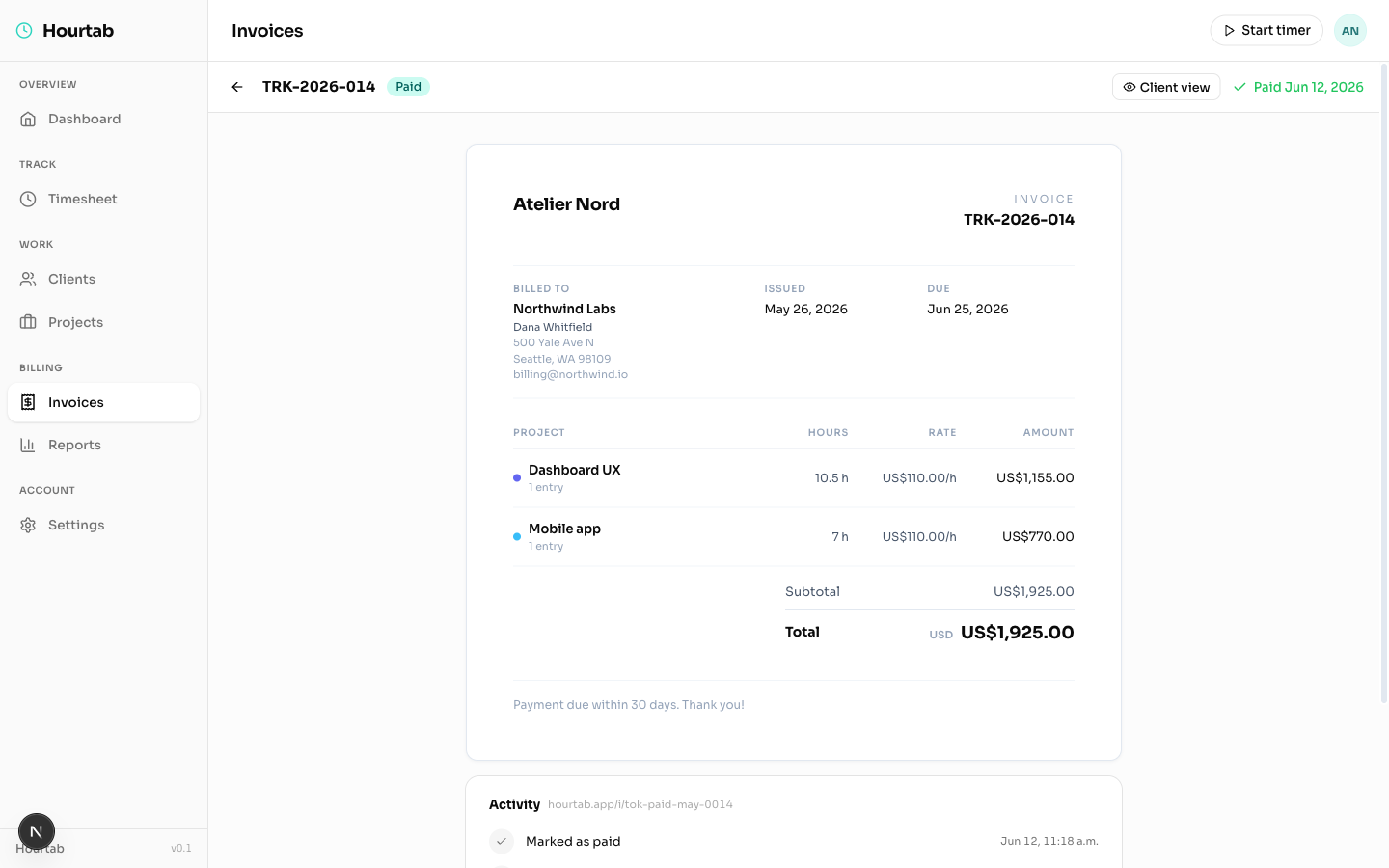
Lines grouped by project, taxes applied, and a full activity timeline — created, sent, viewed, downloaded, paid.
Generated from real tracked time — grouped by project, rates and taxes applied, terms respected. Your client sees a document, not a guess.
I used to lose two or three billable hours every month just assembling invoices. Now it's: drag all week, click once on Friday, done. The thing pays for itself before lunch.
The Viewed badge changed how I follow up. No more "just checking if you got my invoice" emails — I know they got it, I know when, and my reminders land at the right moment.
Half my clients want French invoices with GST + QST, the other half are US companies with no tax. Hourtab is the only tool I've used that treats that as normal instead of an edge case.
Free to start — drag your first block in under a minute.